RTS Computer Education
RTS Computer Education, Guwahati | ISO Certified | Registered Under Trade Marks Registry, Govt. of India No 5467871

Enquiry Form

Call or WhatsApp (Chandmari Centre-7670046464 / Adabari Centre-9864093327)

Graphics Design Course

Course Highlights

Comprehensive Curriculum:
Covers everything from design principles to digital illustration and branding.

 Hands-on Projects:
Work on real-world assignments like posters, logos, social media posts, brochures, and more.

Portfolio Development:
Build a professional design portfolio to showcase your creativity and land freelance or full-time jobs.

What You’ll Learn

  • Fundamentals of Graphic Design
  • Color Theory & Typography
  • Layout & Composition
  • Branding and Logo Design
  • Image Editing & Manipulation
  • Digital Illustration
  • Print and Digital Media Design
  • UI/UX Design Basics
  • Creative Design Projects and Assignments

Career Opportunities

After completing the course, you can work as:

  • Graphic Designer
  • Logo & Brand Designer
  • Visual Content Creator
  • Digital Marketing Designer
  • Print Media Designer
  • Freelance Creative Artist
  • UI/UX Designer (with further specialization)

Enquiry Form

Call or WhatsApp (Chandmari Centre-7670046464 / Adabari Centre-9864093327)

Web Designing and Development

Focus: Web Design, Front-End Development, Back-End Basics, CMS, Deployment, and Best Practices

LEVEL 1 — BEGINNER

Module 1: Introduction to Web Design & Development

  • Overview of websites, web applications, and web technologies
  • Difference between front-end, back-end, and full-stack
  • Introduction to HTML, CSS, and basic JavaScript
  • Understanding website structure (HTML tags, DOM, semantic markup)

Practical: Create a simple “About Me” web page with headings, paragraphs, images, and links

Module 2: UI/UX Fundamentals

  • Principles of user interface (UI) and user experience (UX) design
  • Color theory, typography, and layout
  • Wireframing and prototyping tools (Figma)
  • Mobile-first and responsive design basics

Practical: Design a homepage wireframe and prototype in Figma

Module 3: Styling with CSS

  • CSS syntax, selectors, and properties
  • Layout techniques: Flexbox and Grid
  • Typography, colors, buttons, and hover effects
  • Responsive design using media queries

Practical: Style the “About Me” page to make it visually appealing and responsive

LEVEL 2 — INTERMEDIATE

Module 4: Advanced HTML & CSS Techniques

  • Forms, tables, and multimedia embedding
  • CSS animations and transitions
  • CSS variables and custom properties
  • Organizing styles using external CSS

Practical: Create a contact form with interactive styles and validation hints

Module 5: Introduction to JavaScript

  • Understanding variables, data types, and operators
  • Functions, events, and DOM manipulation
  • Adding interactivity: buttons, sliders, modals
  • Basic form validation with JavaScript

Practical: Create an interactive image gallery or quiz using JavaScript

Module 6: Responsive & Interactive Design

  • Advanced responsive design strategies
  • CSS frameworks (Bootstrap, Tailwind CSS)
  • JavaScript libraries for interactivity (jQuery basics)
  • Introduction to animations (GSAP or AOS)

Practical: Convert a static page into a fully responsive, interactive landing page

Module 7: Version Control & Project Management

  • Introduction to Git and GitHub
  • Committing, branching, and merging
  • Collaborative workflow and project versioning
  • Hosting repositories on GitHub

Practical: Push the course project to GitHub and maintain version history

LEVEL 3 — ADVANCED

Module 8: Back-End Basics & Databases

  • Introduction to server-side concepts
  • Overview of PHP, Node.js, or Python Flask (light coverage)
  • Understanding databases: MySQL, MongoDB
  • Connecting front-end to back-end (form submission, CRUD basics)

Practical: Create a contact form that saves submissions to a database

Module 9: CMS & No-Code Website Builders

  • Overview of WordPress, Wix, Squarespace
  • Theme customization, plugins, and SEO basics
  • Managing content and media efficiently
  • Integrating third-party tools (analytics, forms, social media)

Practical: Build a blog or small business site using WordPress or Wix

Module 10: Website Deployment & Optimization

  • Domain registration and web hosting options
  • Uploading websites via FTP / GitHub Pages
  • Performance optimization (images, caching, minification)
  • SEO basics, accessibility, and web security fundamentals

Practical: Deploy a full website live on the internet and optimize loading speed

Module 11: Capstone Project

  • Design and develop a complete responsive website (portfolio, business, or blog)
  • Integrate interactivity, forms, SEO basics, and analytics
  • Use GitHub for version control and deployment

Practical: Submit a live website URL and GitHub repository demonstrating all learned skills

🧩 Final Project Ideas

  • Personal portfolio website with interactive elements
  • Business website with contact forms, testimonials, and blog section
  • E-commerce landing page with product showcase and subscription form
  • Multi-page responsive website demonstrating a company profile

🎯 Learning Outcomes

By the end of the course, learners will be able to:

  • Build responsive and visually appealing websites using HTML, CSS, and JavaScript
  • Apply UI/UX principles to enhance user engagement
  • Use GitHub for version control and collaborative workflow
  • Understand back-end basics and integrate simple databases
  • Deploy websites live with optimized performance and SEO-ready structure
  • Manage content via CMS platforms like WordPress

 

Enquiry Form

Call or WhatsApp (Chandmari Centre-7670046464 / Adabari Centre-9864093327)

Video Editing Course

This course is designed to train students into skilled video editors capable of producing professional-quality videos for films, advertisements, social media, and YouTube. Learners gain in-depth knowledge of the complete video production workflow — from capturing raw footage to creating visually engaging final outputs.

Students learn how to:

  • Import, cut, and arrange clips effectively

  • Add transitions, effects, and motion graphics

  • Sync and enhance audio

  • Use color correction and grading techniques

  • Create titles and visual effects

  • Export videos in various formats for social media, YouTube, and broadcast

The course includes hands-on projects, creative assignments, and exposure to real-world editing techniques used in filmmaking, advertising, and content creation.

Upon completion, learners can pursue careers as video editors, content creators, social media editors, or freelance professionals.

6 – Months / 3 Months / 1 Month Professional Video Editing & Post-Production Course

Tools: Premiere Pro + CapCut + DaVinci Resolve + AI Video Gen + Basic After Effects

Level: Complete Professional Curriculum

Month 1 – Premiere Pro Full Mastery
  • Complete workflow overview
  • Multi-cam basics
  • Timeline management
  • S-log & flat profile correction
  • Professional audio processing
  • Advanced transitions
Month 2 –  CapCut Pro & Social Editing
  • Advanced effects
  • Viral editing patterns
  • Auto cutout
  • Mobile-first fast editing
  • Template customization
  • Social media formatting
Month 3 – DaVinci Resolve Color Grading
  • Interface & workflow
  • Node-based editing
  • Primary/secondary grading
  • Colour matching
  • Skin tone perfection
  • Cinematic grading workflows
Month 4 – AI Video Generation & Automation
  • Text-to-video creation
  • Storyboard-to-video generation
  • AI-driven motion
  • AI-enhanced B-roll
  • AI-based face modifications
  • AI-driven lip-sync
  • AI-driven animations
  • AI upscaling/restoration
  • AI voice automation
Month 5 – After Effects Basics
  • Interface walkthrough
  • Key frames &graph editor
  • Text animation basics
  • Logo animation basics
  • Masking & rotoscoping basics
  • Simple VFX introduction
Month 6 – Final Editing Development
  • Long-form editing practice
  • Short-form editing mastery
  • Breaking down editing styles
  • Pacing & rhythm
  • Colour consistency improvement
  • Export optimization
  • Portfolio-building(without client projects)


Enquiry Form

Call or WhatsApp (Chandmari Centre-7670046464 / Adabari Centre-9864093327)

Student Feedback
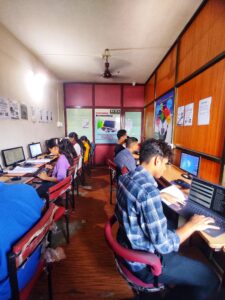
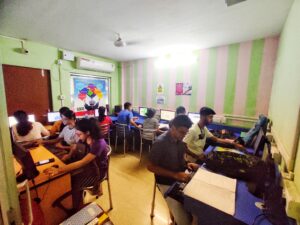
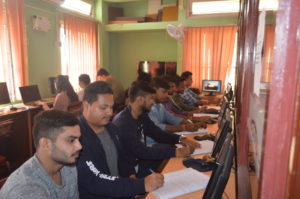
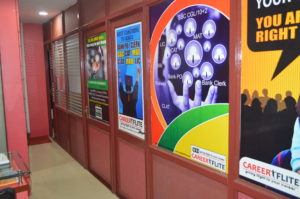
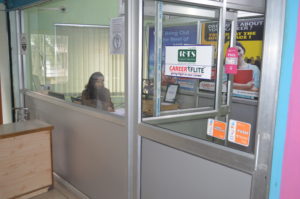
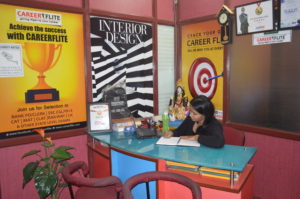
Our Centre Interiors

Our Branches

Adabari

2nd Floor, Letu Ram Das Market, Ananda Nagar, Adabari Tiniali, Adabari. Guwahati-781012
Ph : 9864093327

Chandmari

3rd Floor, Above Bimal Auto Agency, Chandmari Flyover U Turn, Chandmari, Opp All India Radio, Guwahati- 781003
Ph : 7670046464

Centre Meeting Hours : 10:00 AM - 6:00 PM
Email: rtscompeducation@gmail.com